
A bracelet can serve as a visible personal cue without being assigned a guaranteed effect. The useful part of the system is not a claim about the stone. It is the decision to connect one noticeable object with one ordinary action, such as checking tomorrow’s calendar, putting keys in their usual place, or closing a laptop at the end of a work block.
This guide explains how to design that cue deliberately. It covers the transition, the action, bracelet visibility, wrist placement, bead scale, a written routine card, and a simple review method. The bracelet remains jewelry; any association attached to it is personal and does not establish a health outcome.
Choose a Transition, Not a Feeling
Begin with a moment that can be observed. Good examples include arriving at a desk, leaving the house, finishing a meal, packing a bag, or placing a phone on its charger. Each has a clear before-and-after point. A broad goal is harder to connect with a specific object because there is no obvious moment to act.
Write the transition as a short statement: when the laptop opens, when the front door closes, or when the bracelet returns to its tray. Avoid language that promises an internal change. The cue only needs to identify a point in the day where a small practical action belongs.
Select a transition that already happens. This removes the need to create a new schedule from scratch. The bracelet can then sit inside an existing sequence instead of becoming another item to remember.
Assign One Visible Action
Pair the transition with one action that can be completed and checked. At the start of a work block, the action might be opening the task list. At the end, it might be writing the next step before closing the computer. When leaving home, it might be checking keys, wallet, and phone.
Keep the action short enough to state on one line. If it contains several unrelated jobs, divide it into separate sequences. One bracelet should not stand for an entire day of plans. A narrow association is easier to remember and easier to review.
Use a two-part cue sentence
When this happens, I do this. For example: when I place the bracelet beside the keyboard, I open today’s task list. The sentence describes visible events and does not depend on a claim about material properties.
Decide Where the Bracelet Will Be Seen
A wrist cue only works as a visible marker when it enters the wearer’s normal line of sight. Consider which hand uses a mouse, holds a mug, opens a door, or reaches for a bag. The opposite wrist may be more visible during some tasks, while the active wrist may be noticed more often during others.
Test both sides for a few ordinary movements. Check whether the bracelet disappears under a sleeve, meets a watch, or contacts a desk edge. Wrist choice is a practical layout decision, not a universal rule. Use whichever side fits the selected transition and the surrounding objects.
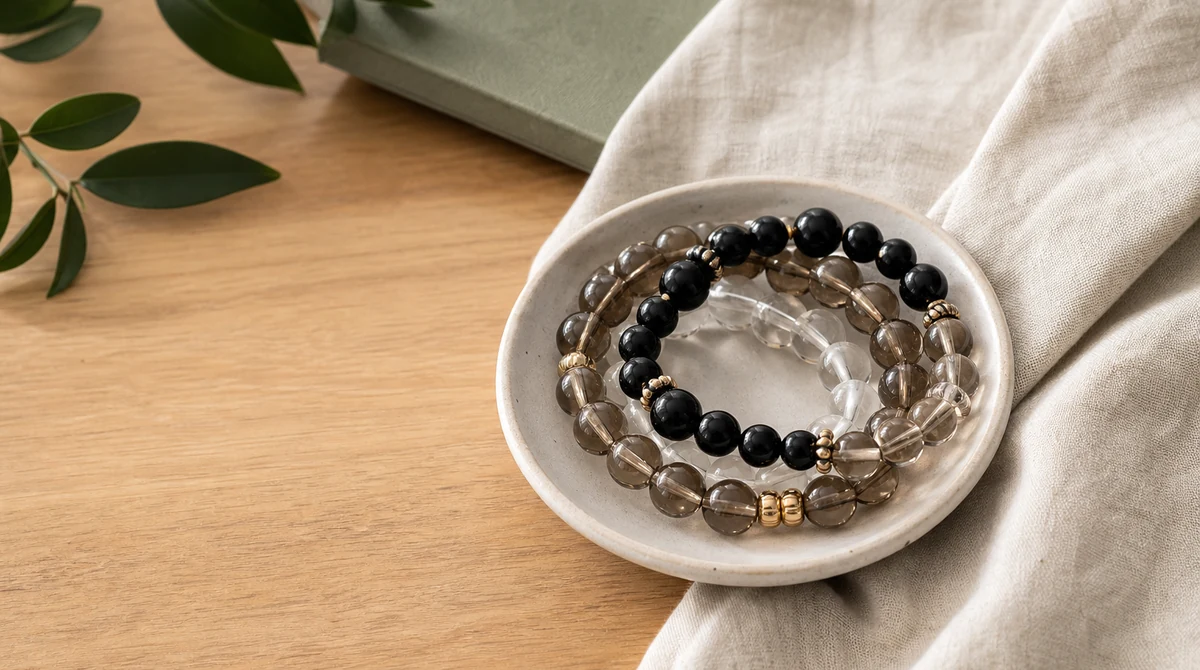
If the bracelet will remain off the wrist, choose a fixed place such as a divided tray, hook, or small dish. The location should be easy to describe and should not expose the piece to moisture, sharp objects, or unstable edges.
Select an Easy-to-Recognize Detail
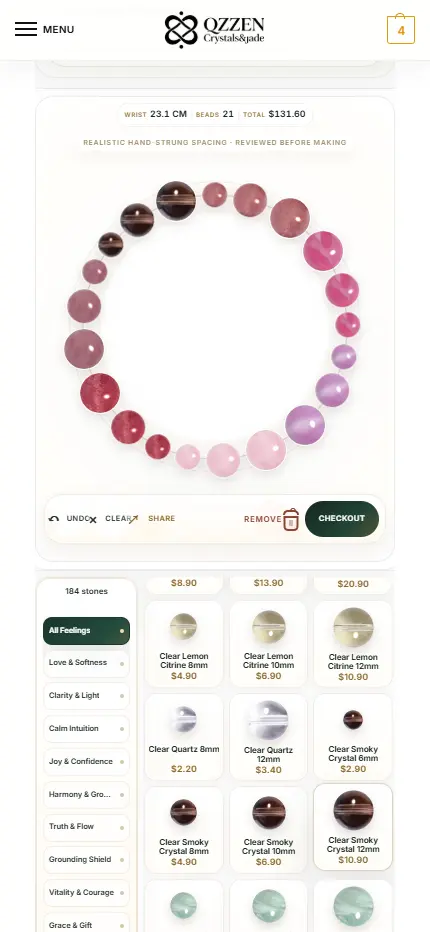
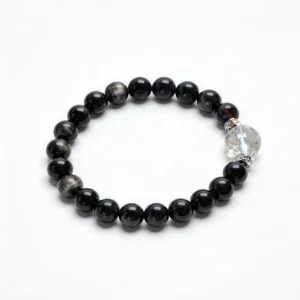
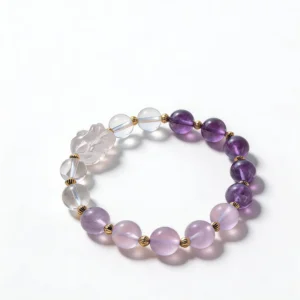
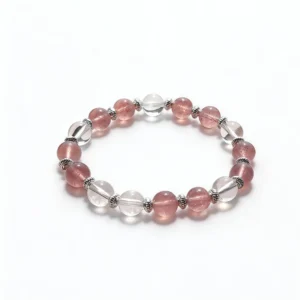
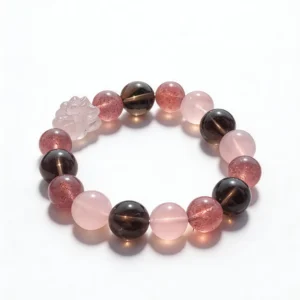
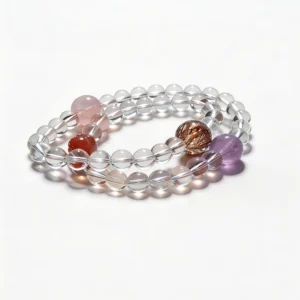
The cue can be a color boundary, a focal bead, a charm outline, a change in bead diameter, or a metal spacer. Choose one feature that remains recognizable in ordinary light. A subtle feature may look refined but can be difficult to distinguish during a quick transition.
Observe the detail under daylight and typical indoor light. Product photography can help with comparison, but it cannot confirm stone identity by itself. Use the seller-provided material name, measurements, close views, and disclosed enhancements alongside the images.
Do not assign an undocumented origin, tradition, or property to the selected feature. It is enough to say that a pale bead marks the start action or that a carved component marks the closing action. The cue belongs to the personal routine, not to an unverified universal system.
Match Bead Scale to the Setting
Bead diameter affects visibility and physical space. Larger beads are easier to notice at a glance, but they occupy more room near a keyboard, cuff, or watch. Smaller beads create a lower profile but may make a tiny focal detail harder to recognize.
Use listed measurements and the bracelet size guide rather than estimating from enlarged photos. Check total wrist space when the cue bracelet will be worn with other pieces. The bracelet stack wear test provides a separate method for checking strand contact, movement, and sleeve interaction.
Choose the simplest physical layout that makes the cue obvious. Adding more charms, colors, or strands can dilute the feature that is supposed to mark the transition.
Create a Small Routine Card
Write five fields on paper or in a note:
- Transition: the observable moment.
- Action: one task that can be completed.
- Cue detail: the bracelet feature being used.
- Location: wrist, tray, desk, or bag compartment.
- Reset: where the bracelet goes after the action.
The reset is important because it prepares the object for the next occurrence. If the bracelet is placed randomly after use, the next cue begins with a search. A defined reset location closes the sequence.
Keep the card factual. Record what happened rather than how the bracelet was expected to change the day. This makes the system easy to adjust without turning a personal association into a product claim.
Test a Morning Setup Sequence
Place the bracelet in its reset location the night before. In the morning, connect putting it on with one practical setup action: checking the calendar, packing a required item, or reviewing the first appointment. Complete the action before moving to the next part of the routine.
For the first few trials, leave the routine card beside the bracelet. This tests whether the transition and action are clear without relying on memory. If the card needs a paragraph of explanation, simplify the sequence.
Notice whether clothing changes visibility. A long cuff may cover the cue as soon as the bracelet is worn. In that case, use the act of removing it from the tray as the marker, or select another location that stays visible.
Build a Work-Start and Work-Close Pair
A pair of transitions can use the same bracelet at two locations. At the beginning of a work block, place it beside the keyboard and open the task list. At the end, return it to the wrist or tray after recording the next step. The bracelet marks the boundary because its location changes.
Keep the two actions distinct. Start means opening the planned work; close means leaving a clear continuation note. Do not add unrelated tasks until the pair can be completed consistently.
Check desk contact before using the bracelet this way. A large focal component may rest against the work surface when worn. If that is distracting or creates repeated contact, use the tray position instead of the wrist position.
Use a Bag or Travel Reset
A travel sequence can begin when the bracelet enters a designated pouch or compartment. Pair that move with checking a short packing list. When arriving, place the bracelet in a known location and complete the corresponding arrival task.
Keep jewelry separate from keys, loose chains, and sharp hardware. A soft pouch or divided organizer makes the reset location visible while reducing tangles and surface contact. The bracelet should not become the item that is most difficult to find in the bag.
Photograph the chosen compartment once. The image can serve as a packing reference and avoids relying on an improvised location during each trip.
Review the Cue Without Inventing Results
After several uses, review only observable questions. Was the bracelet present at the transition? Was the feature visible? Was the paired action completed? Did the piece interfere with a sleeve, watch, desk, or bag? Did it return to the reset location?
If the action was missed, change one variable. Move the bracelet, simplify the action, select a more visible detail, or adjust the timing. Do not use the review to infer a medical or material effect. It is a test of the cue design.
Retire the association when the transition no longer exists or when another object marks it more clearly. The bracelet can return to ordinary styling without carrying the old routine.
Check Product Information Before Choosing
- specific material name and any disclosed enhancements;
- bead diameter, bracelet size, and focal-component dimensions;
- full-strand, close, and on-wrist photographs;
- elastic, clasp, or adjustable-cord construction;
- care, return, and contact information;
- a visible feature suitable for the intended cue.
Browse crystal bracelets or the wider QZZEN shop as comparison starting points. Verify the current details on each individual product page rather than transferring assumptions between similar-looking pieces.
Keep the Bracelet Usable as Jewelry
Wipe the bracelet with a soft dry cloth when appropriate for its listed materials, and follow the supplied care directions. Store it flat or in a divided tray without stretching elastic around a display object. Inspect cords, clasps, loops, and drilled edges during normal handling.
The routine should adapt to the jewelry, not require unsuitable exposure or handling. If a sequence places the bracelet near water, chemicals, impact, or loose hardware, move the cue to a safer point in the routine.
Design a Cue That Stays Factual
A useful bracelet cue has one observable transition, one visible action, one recognizable detail, and one reset location. Its value comes from the personal system built around the object, not from a promised internal result. Keep the language factual, test the physical layout, and revise only one variable at a time.
Create With QZZEN
Make One Detail Easy to Recognize
Use QZZEN Create to compare bead scale, color boundaries, spacing, and a finished circular layout. Choose one visible detail for the personal cue, then test its size and placement in the intended routine.