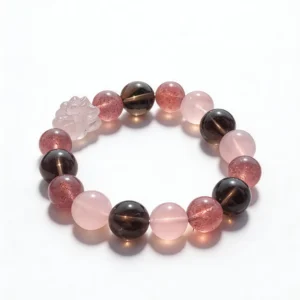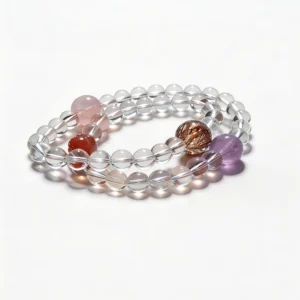


A bracelet used at a workstation should be selected around measurable fit, bead profile, construction, and the surfaces it may touch. Map the keyboard, mouse, desk edge, watch, sleeves, cables, and storage area before choosing a design. A simple compatibility check can reduce repeated contact with devices and make changes in cord or hardware easier to notice.
Map the Workstation Contact Zones
Sit at the desk in a normal working position and mark where each wrist rests. Include the keyboard edge, mouse pad, laptop palm rest, desk lip, chair arm, notebook, and any device used frequently. These are the main contact zones for the underside and side of a bracelet.
Repeat the map while reaching for a phone, mug, drawer, charger, or second monitor. A bracelet may clear the keyboard but strike the desk when the arm turns. Record the exact activity and contact point rather than assuming that every mark comes from the bead material.
Choose the Wrist From Actual Tasks
The dominant hand may travel more often between keyboard, mouse, pen, and phone. The other wrist may remain closer to a watch, desk edge, or notebook. Test an existing bracelet or soft measuring band on each side for a short period and note movement without pulling it tight.
Do not choose a wrist solely from appearance in a product photograph. Wrist shape, device position, input method, and handedness change the result. If either side produces repeated hard contact, place the bracelet aside during that task.
Match Bead Diameter to Keyboard Clearance
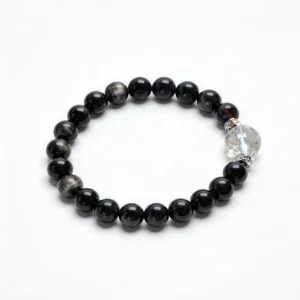
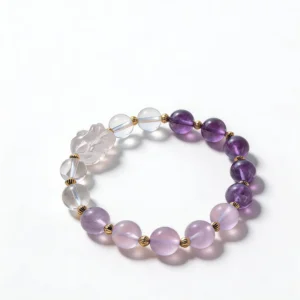
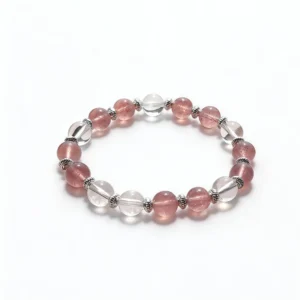
Bead diameter affects height above the wrist and the width occupied by the strand. Large round beads, carvings, or stacked strands can raise the forearm or touch the keyboard housing. Compare 6 mm, 8 mm, 10 mm, and 12 mm dimensions directly rather than judging scale from a close crop.
Measure the wrist using the seller’s stated method and check how the finished bracelet size is defined. The QZZEN size guide provides a consistent starting point. A loose bracelet may rotate into a contact zone even when its bead profile is otherwise suitable.
Account for Watches and Sleeves
A watch case, crown, buckle, and band can touch beads or metal spacers throughout the day. Record whether the bracelet sits on the hand side or arm side of the watch and check the gap during typing. Separate hard components when they repeatedly strike or rub.
Test fitted cuffs, knit sleeves, jacket fasteners, and elastic edges. Fabric can push a bracelet toward the hand or catch a charm. Put clothing on and take it off over a soft surface so a loose connection or bead is easier to see and recover.
Inspect Charms, Clasps, and Moving Hardware
Moving components need more space than fixed beads. Note charm length, ring position, clasp type, extension chain, spacers, and any hardware that turns toward the underside of the wrist. Check listing photographs for the connection points, not only the front view.
Before work, inspect jump rings for gaps, clasps for complete closure, crimps for alignment, and stretch cord for fraying or flattening. A loose charm can catch a cable, sleeve, drawer handle, or bag strap. Remove a damaged piece from use until it can be evaluated.
Keep Bracelets Clear of Cables and Controls
Charging cables, wired headsets, lanyards, and controller cords can cross the path of the wrist. Route them behind the keyboard or through a holder when possible. Keep loops away from dangling charms and extension chains.
Also check clearance around trackpads, touch screens, knobs, and tablet edges. A bracelet that works with a full-size keyboard may behave differently with a compact laptop. Recheck the map whenever equipment or seating position changes.
Protect Device and Desk Surfaces
Stone beads, faceted edges, and metal parts can mark soft finishes, glass, polished wood, or coated device surfaces. A desk mat can define a softer working zone, but it does not remove every risk. Inspect its edge and thickness to ensure the bracelet does not repeatedly catch there.
Do not place a bracelet directly on a closed laptop, phone screen, tablet, or keyboard. Use a lined tray or pouch when the jewelry is off the wrist. Separate storage also prevents hard components from rubbing against other jewelry.
Review Color Away From Monitor Light
Monitor glow, colored desk lighting, and camera settings can shift the appearance of beads. Review the bracelet under ordinary neutral light before comparing color, transparency, or visible variation with a product listing. Save one full-strand photograph and close views of relevant details.
Screen color and directional light do not establish material identity. Look for exact seller wording about the bead, processing, hardware, and strand. Compare current specifications across the QZZEN crystal bracelet collection.
Separate Jewelry From Drinks and Products
Place mugs, bottles, desk cleaners, hand cream, fragrance, and ink away from the bracelet storage area. Remove the bracelet before applying products near the wrist and allow them to dry according to their instructions before putting jewelry back on.
If a spill occurs, remove the bracelet from the desk and follow its material-specific guidance. Avoid soaking, household cleaners, abrasive pads, and unverified chemical methods. Care should follow the most sensitive component, including cord, elastic, coating, adhesive, plating, and stone.
Run an End-of-Workday Inspection
- Remove the bracelet over a soft, uncluttered surface.
- Check the underside for residue or repeated contact marks.
- Inspect cord exits, knots, crimps, clasps, rings, and charms.
- Confirm that every bead and moving component is present.
- Wipe only as directed and let the bracelet remain dry.
- Store it in its assigned tray, box, or pouch.
Take an ordinary-light photograph when a connection or surface changes. Keep the image with the order record and stop using the bracelet if cord or hardware damage is visible.
Use a Workstation Compatibility Checklist
- Wrist measurement and finished-size method
- Bead diameter, strand type, clasp, charm, and spacer details
- Keyboard, mouse, desk edge, chair arm, and device contact zones
- Watch, sleeve, cuff, cable, and lanyard clearance
- Neutral-light photographs and exact material wording
- Distance from drinks, cosmetics, cleaners, and ink
- Separate storage and end-of-workday condition notes
Apply the same fields to each candidate in the QZZEN shop. A consistent worksheet supports an observable comparison and keeps styling preferences separate from construction requirements.
Create With QZZEN
Preview a Bracelet for Your Workstation
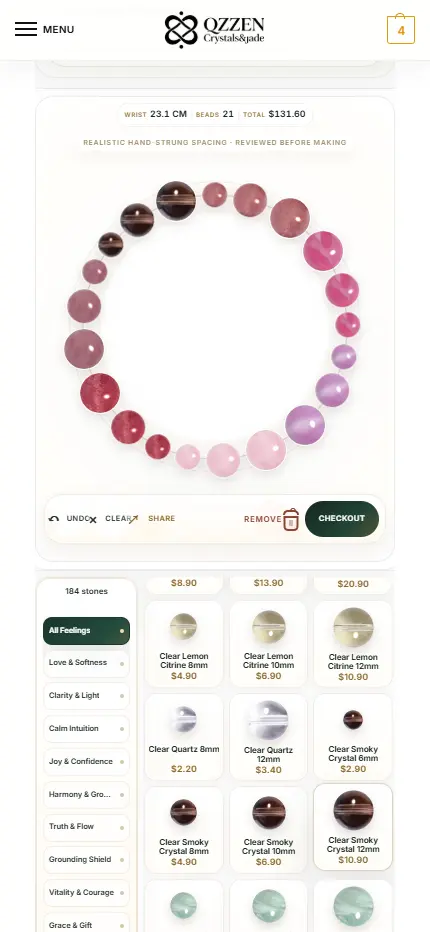
Use QZZEN Create to review a complete circular layout, bead sizes, color sequence, and wrist measurement. Compare the preview with your keyboard-clearance, hardware, sleeve, and storage notes before choosing the final design.